
President FC: Football Club Owner · Manual
Next Match
The game and this guide are still in development. Details may change, and your feedback is welcome.
Screen guide
Next Match — the pre-match hub for your upcoming fixture: opponent and win odds, team news, head-to-head, the gate forecast and your schedule and recent results in one place. Past games live under Match Report.
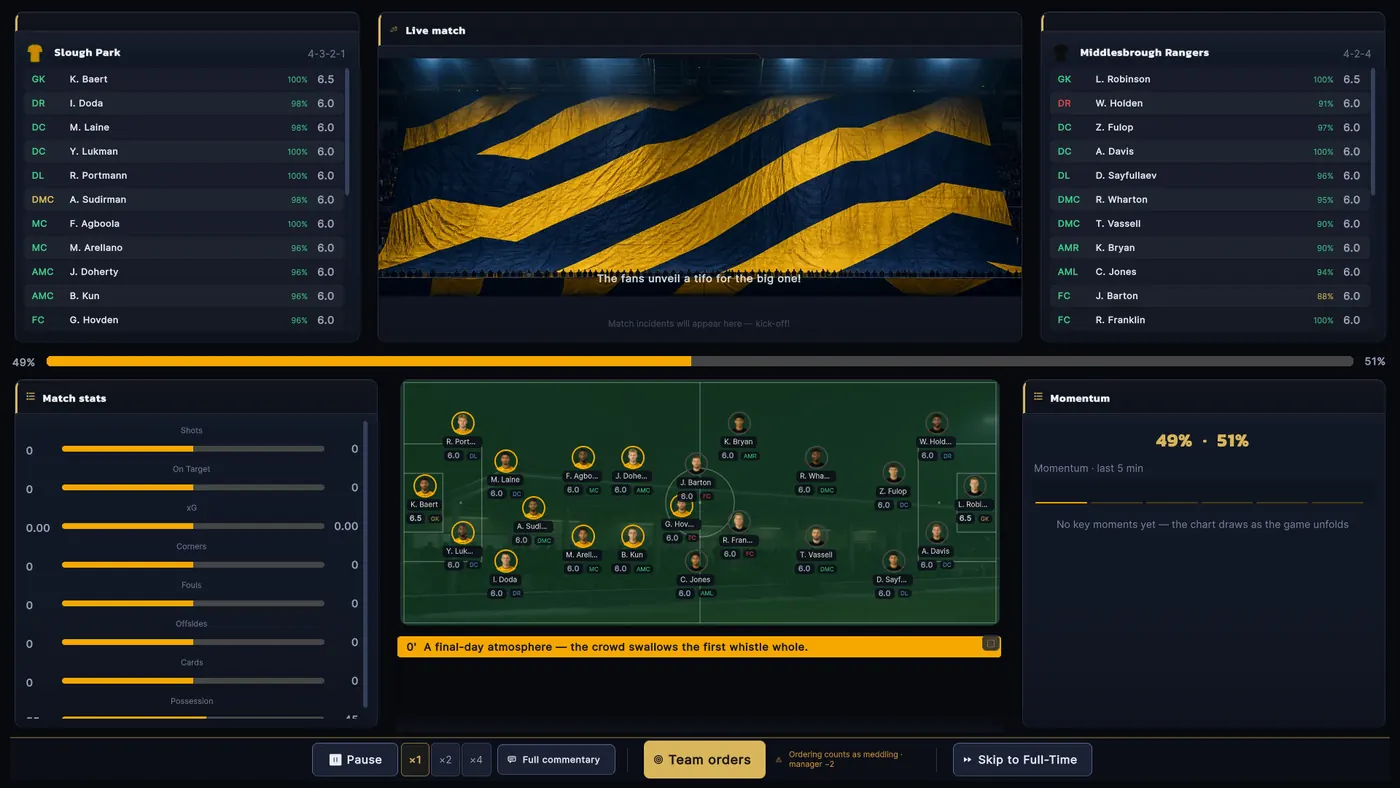
Next fixture — the big card on top: the coming match (a DERBY chip when it is one), the countdown, head-to-head W-D-L and the team-orders button · Left column — scouting the opponent (danger men, preferred style, head-to-head), expected gate money (split 50/50 with the visitors), then our latest results · Right column — team news (who's out, who's low on fitness) and the remaining fixtures; in July–August a friendly-arranging button sits at the card's foot · Matchday — «Go to Match» opens the pre-match screen (the manager's XI, tweakable) → the live match with minute-by-minute events where you can order substitutions or «Skip to Full-Time» and let the manager run it → the match report · Match report — three columns: home side left (starters with goals, assists, ratings and the pitch map), the match itself in the middle (big score, man of the match, minute-by-minute events and the stat comparison card), away side right
The «team orders» button on the big card — on a matchday it opens the lineup, on other days the standing orders · tweaking the XI or the plan on a matchday counts as meddling with the manager (unless he defers to you) — make it worth it · on the live screen you can make substitutions within the quota, but once you skip to full time there's no coming back · in July–August you can arrange up to 2 extra friendlies from the foot of the fixtures card · after the match, read the ratings in the report to see who really delivered
Next Match only shows the fixture ahead — to relive the last game click its score anywhere or open Match Report · Friendlies are arranged from the button here (max 2 a preseason)
Chapters
Updated Sep 21, 2026